

How to track your extraction progress
My extraction progress counts your own extraction work in a project — the papers you extract and the papers you verify — and nobody else’s. It reads the assignments themselves, so a form you submitted a moment ago is already in the numbers; there is nothing to refresh.
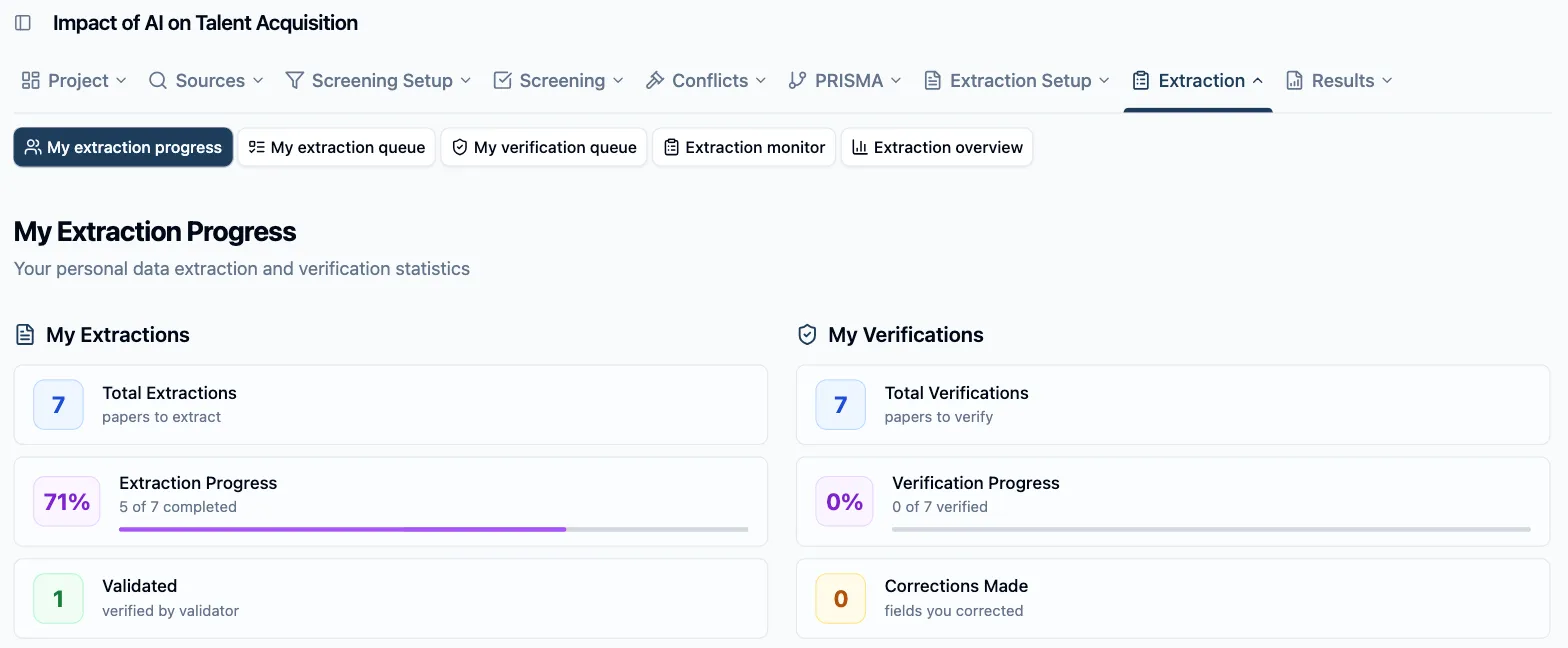
In the project sidebar under Extraction, click My extraction progress. Everyone with extraction assignments has this page — reviewers, Assistants, and the Owner when they extract too. It is two panels side by side, one per role you hold.
My Extractions
Section titled “My Extractions”The left panel covers the papers you extract:
- Total Extractions — papers assigned to you as extractor.
- Extraction Progress — the share you’ve submitted, with N of M completed beneath it and a bar.
- Validated — how many of your submissions a verifier has signed off.
Progress moves on Submit, not on Save Draft: a half-filled form you saved for later keeps its paper in progress and short of the bar. Validated lags Extraction Progress by design — a paper counts toward your progress the moment you submit it, and toward Validated only once its verifier validates it — so the gap between the two is your work that’s waiting on someone else, not on you.
My Verifications
Section titled “My Verifications”The right panel mirrors it for your verifier lane:
- Total Verifications — papers assigned to you as verifier.
- Verification Progress — the share you’ve validated, with N of M verified and a bar.
- Corrections Made — the number of fields you changed while validating, added up across all your validations.
A paper only counts as verified here once you’ve clicked Validate on it — opening it and saving progress doesn’t move the bar. If you hold no verifier assignments — a solo project, or one distributed to a single extractor — the panel stays in place and reads -- with no verifications assigned.
Empty, and done
Section titled “Empty, and done”Two states bracket the page. No Extractions Assigned means the distribution hasn’t reached you yet — see How to distribute extraction work. At the other end, once every extraction and every verification of yours is complete, the page answers with All Done!.
You don’t have to open the page to keep an eye on things: the project home shows reviewers a My extraction queue tile counting N of M extractions, and the queue itself tells you what’s left to do.