

How to redistribute papers
Reviews rarely run exactly as planned. Someone leaves the project, one reviewer’s share turns out to be more than they can get through, or a supplementary search adds papers after screening has started. Redistribution re-splits the pending papers across whoever is still screening — and it is built so that the decisions already made survive the change.
You do it from the same screen as the first distribution: Screening Setup → Paper Distribution. The difference is that once anything has been screened, Littview stops and asks you what should happen to that work.
What’s already been done, and what can move
Section titled “What’s already been done, and what can move”Once decisions exist, the saved distribution stops showing a single number per reviewer and starts showing three: Screened / New / Total.

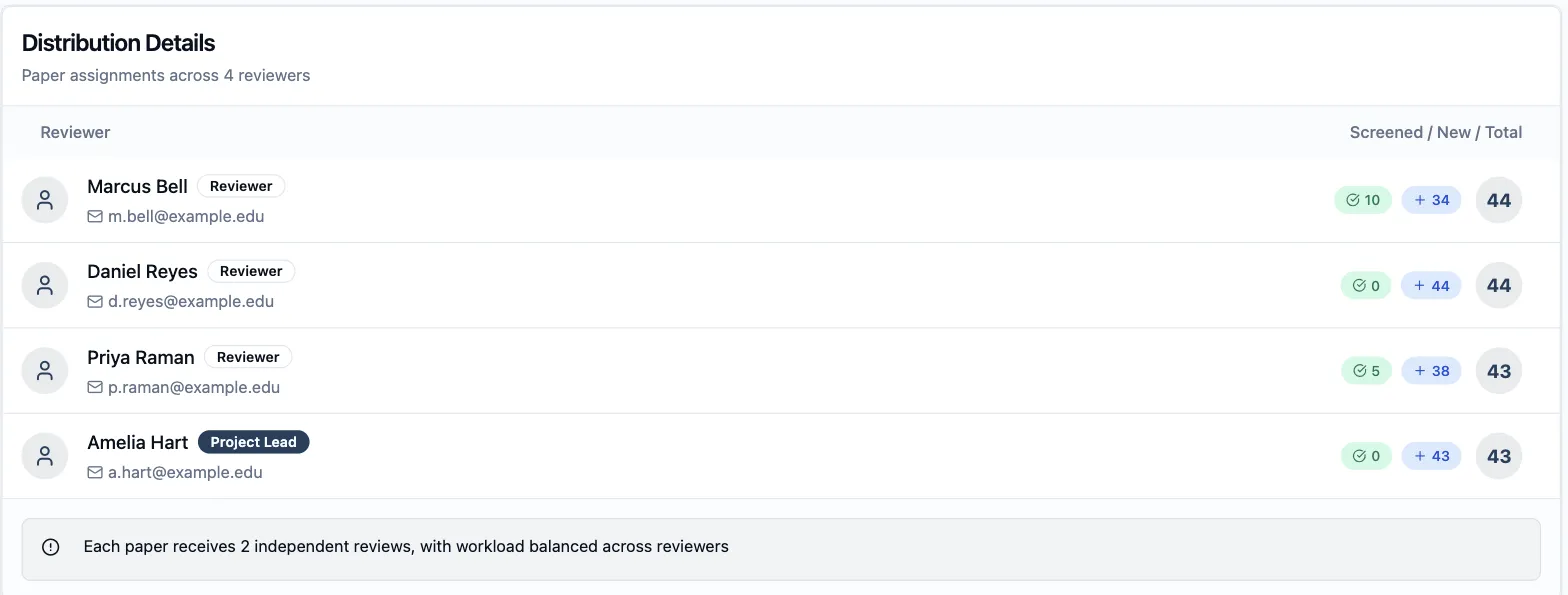
That split is the whole basis of redistribution. Screened papers are settled — they carry a decision and its criteria. New papers are still pending, and pending is what redistribution is free to move.
Take a reviewer out of the round
Section titled “Take a reviewer out of the round”-
Click Modify Settings to return to the Setup tab. An Existing distribution found badge appears at the top of Distribution Settings.
-
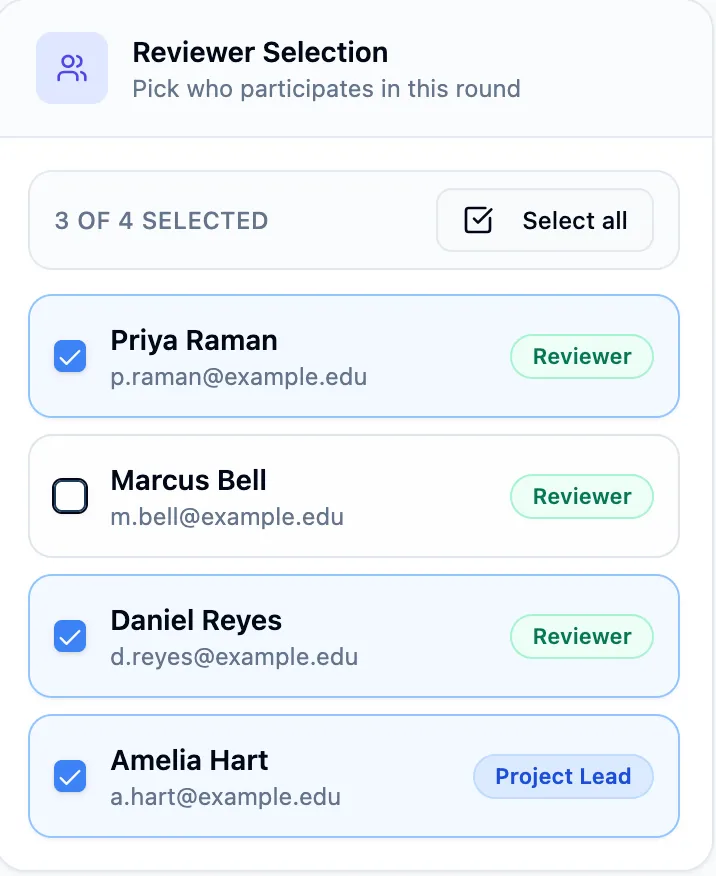
Untick the reviewer who’s stepping away. They keep their access to the project — they simply take no further papers from this round.
-
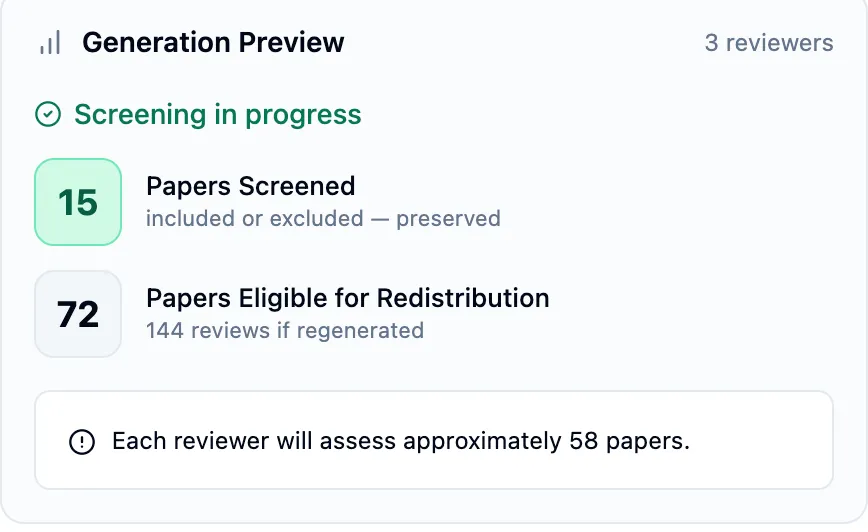
Check Generation Preview. It now reads Screening in progress and splits the project in two: the papers already screened, marked preserved, and the papers eligible for redistribution. It also re-does the arithmetic for the smaller group — three reviewers covering the same 87 papers means roughly 58 each instead of 44.
-
Click Regenerate Distribution.
When the problem is workload, not people
Section titled “When the problem is workload, not people”Littview splits the papers as evenly as it can across the reviewers you select, but it has no notion of anyone’s availability — an even share is not automatically a finishable one. Five thousand papers at depth 2 across four reviewers is 2,500 reviews each: perfectly even, and still more than a reviewer with a few hours a week will get through.
There is no per-person quota to lower. The reviewer list and the review depth are the capacity controls, and both are changed the same way — Modify Settings, adjust, Regenerate Distribution:
- Add a reviewer. The pending papers re-split across the larger group, so everyone’s remaining share shrinks. Screened papers stay where they are.
- Lower the review depth. Papers already covered at the new depth need nothing further, so the pending total drops rather than moving between people.
Either way, Generation Preview re-does the arithmetic before you commit, and the Screening in Progress dialog covered next still applies.
Choose what happens to the work already done
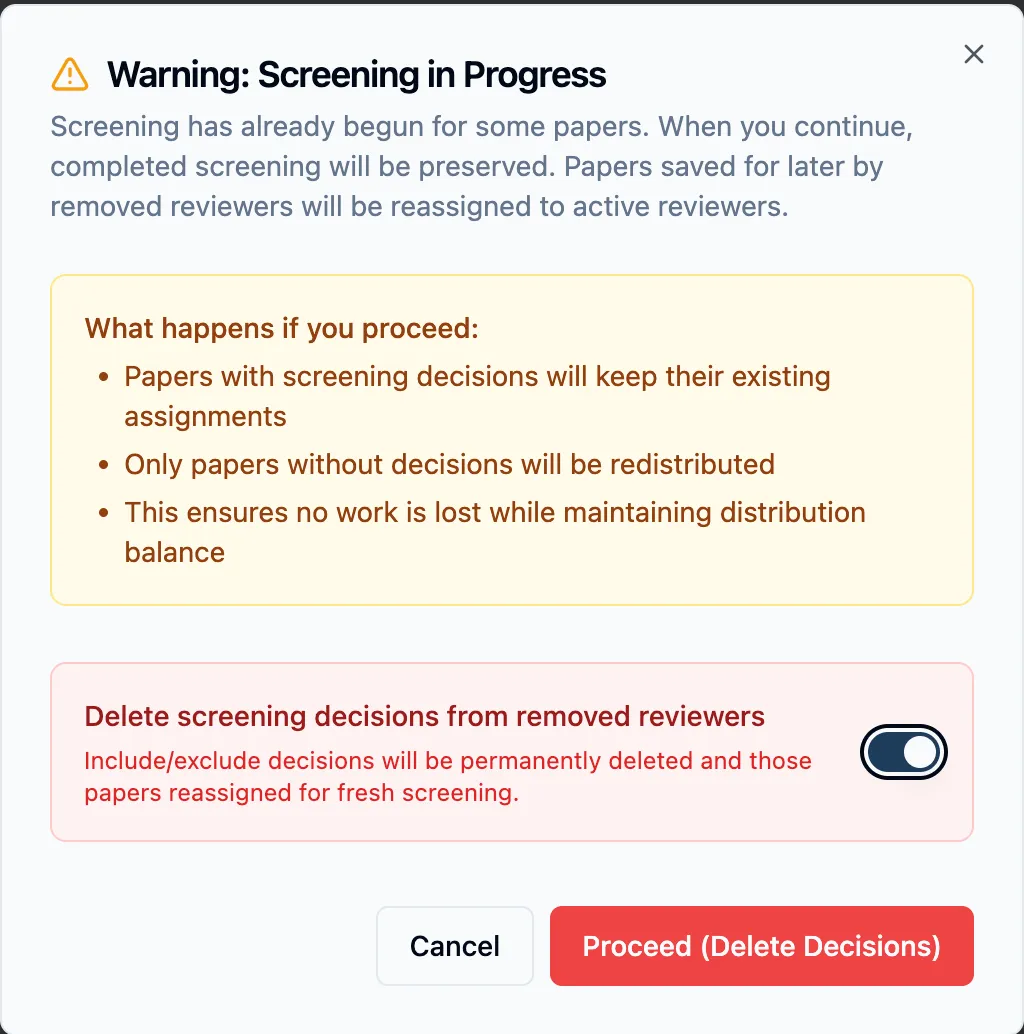
Section titled “Choose what happens to the work already done”Regenerating with decisions in the project always raises Warning: Screening in Progress. It states the default plainly: papers with decisions keep their existing assignments, only papers without decisions are redistributed, and papers a removed reviewer had saved for later go back to the active reviewers.
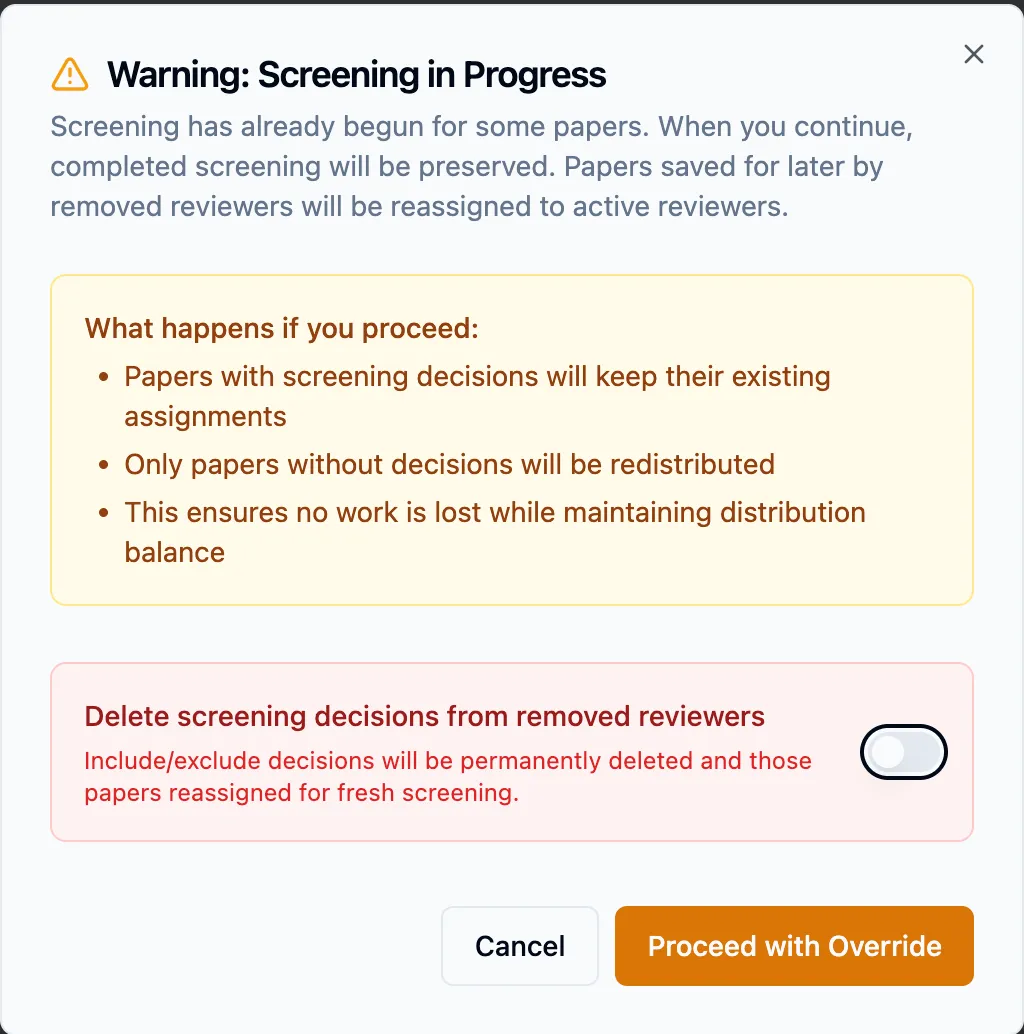
Proceed with Override — the default, and what you want almost every time. A reviewer who leaves keeps the decisions they made; those papers stay attributed to them and stay in your PRISMA counts. Only the untouched remainder is re-split across whoever is left.
The toggle changes that. Delete screening decisions from removed reviewers permanently deletes the include/exclude decisions of anyone you unticked and sends those papers back out for fresh screening. The button turns red and says exactly what it will do.
Nothing is applied until you save
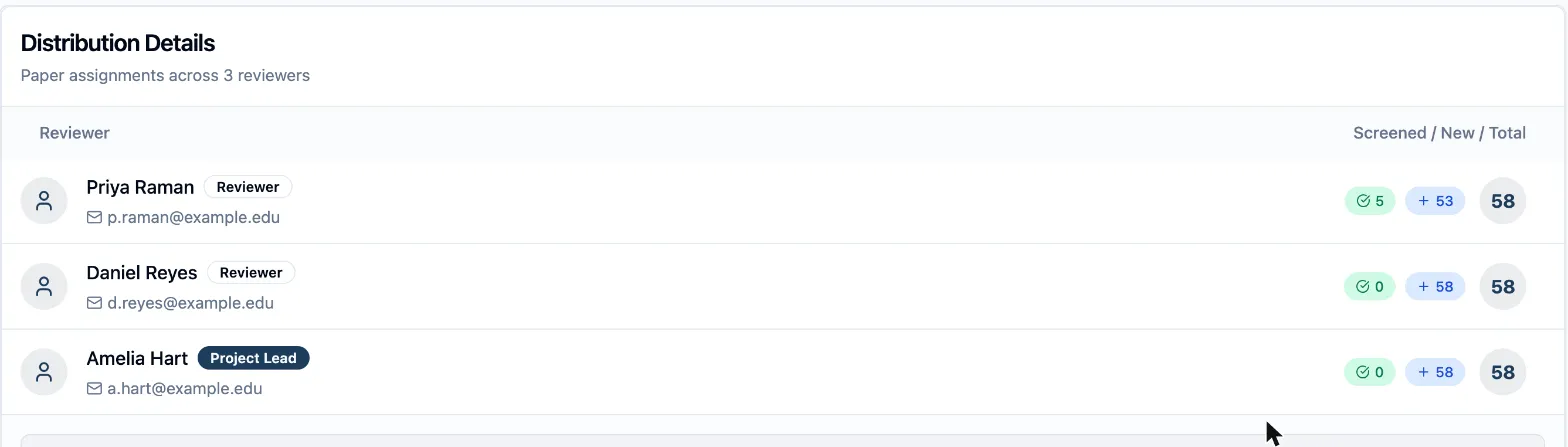
Section titled “Nothing is applied until you save”Both paths produce a preview, exactly like the first distribution: a This distribution is a preview banner, a Draft badge, and the new per-reviewer breakdown. No assignment has changed and no decision has been deleted at this point.
Two buttons decide the outcome:
- Reset to Saved discards the preview and restores the distribution you had. Use it freely — it’s how you look at what a change would do without committing to it.
- Save Distribution applies it. Only now does anything change: assignments are rewritten, and on the delete path, those decisions are gone.
Read the preview before saving: the per-reviewer counts tell you whether the new split is what you intended. One thing the preview does not tell you is which path you’re on — the reviewer you removed is absent from the table either way, because the preview lists only the people taking new papers. What separates the two outcomes is the choice you made in the dialog. On the keep path, the removed reviewer’s decided papers stay attributed to them once you save, even though they’re not in this table.
Everyone still in the round is notified of their new assignments, and their queue updates in place. Reviewers who were already part-way through keep the papers they’d decided.
Next: How to screen papers in your queue covers the reviewer’s side of what you’ve just handed out.