

How to generate your Methods section
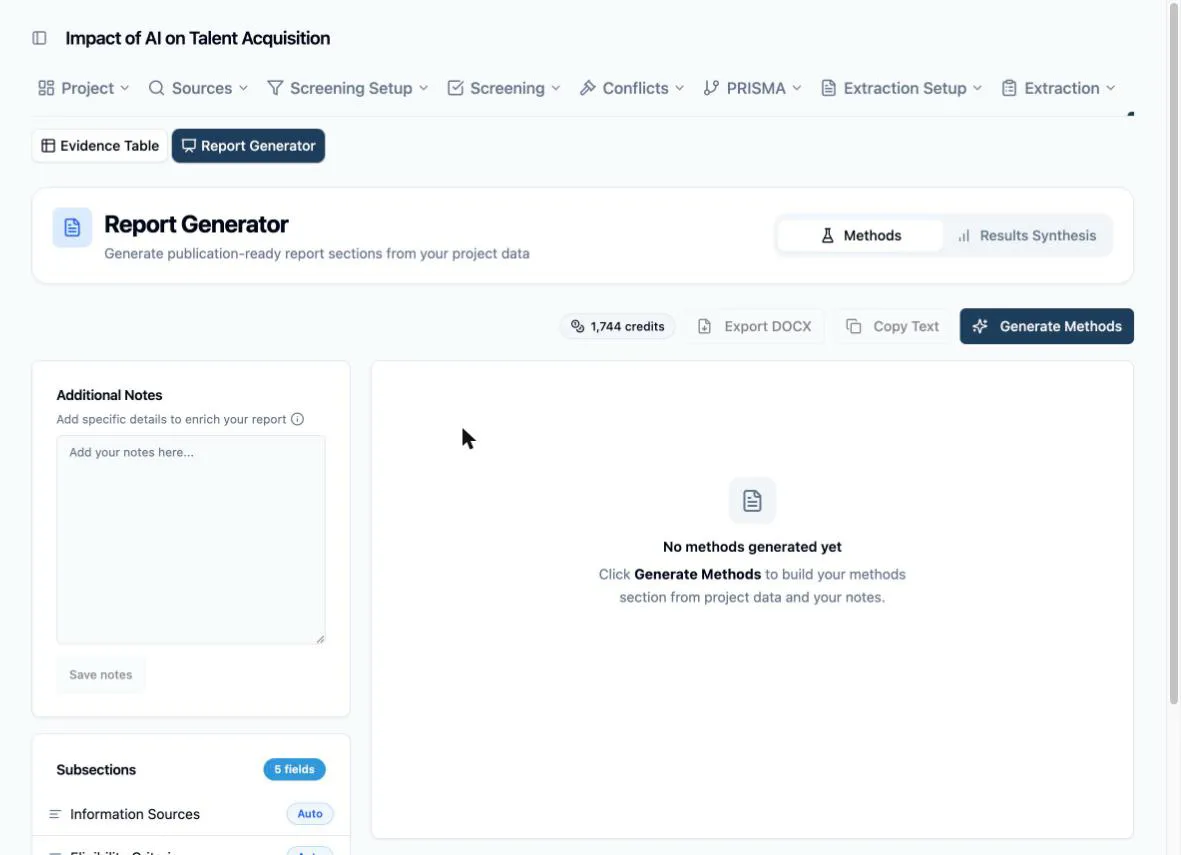
By the time you’re writing up, Littview already holds most of what a PRISMA 2020 Methods section has to report: your eligibility criteria, how many reviewers saw each paper, the agreement threshold, how conflicts were settled, the screening funnel with its exclusion reasons, and the shape of your extraction template. The Methods generator turns that record into academic prose. Open it from Results → Report Generator and stay on the Methods tab.
What goes into the draft
Section titled “What goes into the draft”The Subsections card lists what the draft will contain — four written every time, and one that only appears when it applies:
- Information Sources — records identified, duplicates removed, and how many entered screening.
- Eligibility Criteria — your inclusion and exclusion criteria with their definitions, worked into sentences rather than listed.
- Study Selection & Conflicts — reviewer count, reviews per paper, the agreement threshold you set, papers that agreed versus conflicted, how the conflicts were resolved, and the PRISMA cascade down to included studies with its exclusion reasons.
- Data Collection Process — your template’s sections and fields, and whether extractions were verified by a second person. Omitted entirely if you never built a template.
- AI-Assisted Methods — marked Conditional because it’s written only if you actually used AI. It reports how often reviewers accepted or overrode the suggestions, states plainly how much AI-assisted extraction a human has verified so far, and closes with a disclosure sentence naming the large language model’s role.
Two things the draft is deliberately careful about, both worth knowing before you read it:
Add what only you know
Section titled “Add what only you know”Everything above comes from the project. The Additional Notes box is for the methodological facts that live outside it — and they’re usually the difference between a usable draft and a vague one:
- when you ran the search, and any date range it covered
- the search string you ran
- your PROSPERO registration number
- the risk-of-bias tool you used
Write them as plain sentences and click Save notes. The generator paraphrases them into academic register and distributes them into whichever subsection they belong to, rather than dropping them in as a block. Where a note disagrees with the project’s own numbers, the computed figures win — notes supply context and voice, not counts.
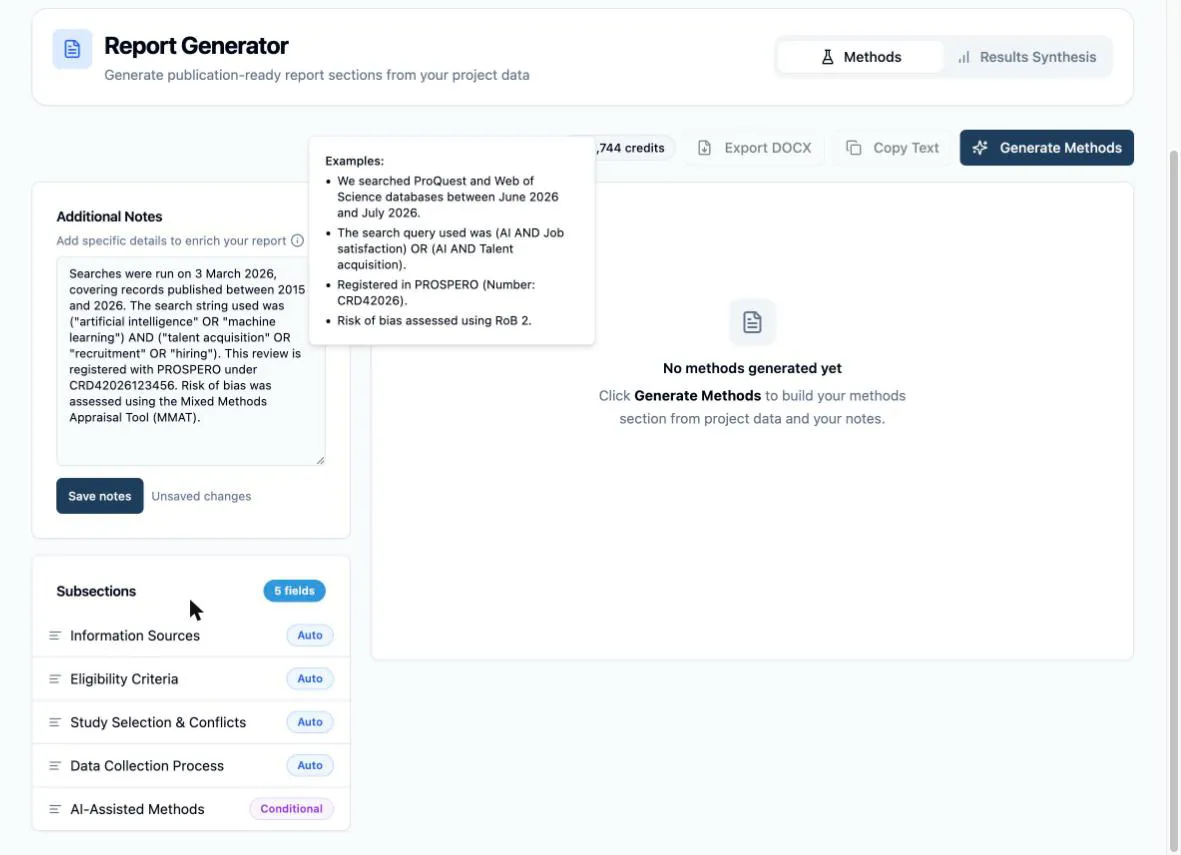
Edit your notes after a generation and a banner appears above the preview — Notes have changed since last generation — reminding you the draft on screen predates them.
Generate the draft
Section titled “Generate the draft”-
Make sure your eligibility criteria are defined. Until they are, Generate Methods stays disabled and its tooltip says so; the preview panel links you to the criteria builder.
-
Write and save your notes, then click Generate Methods. The preview fills in subsection by subsection as the draft is written — a run takes well under a minute.
-
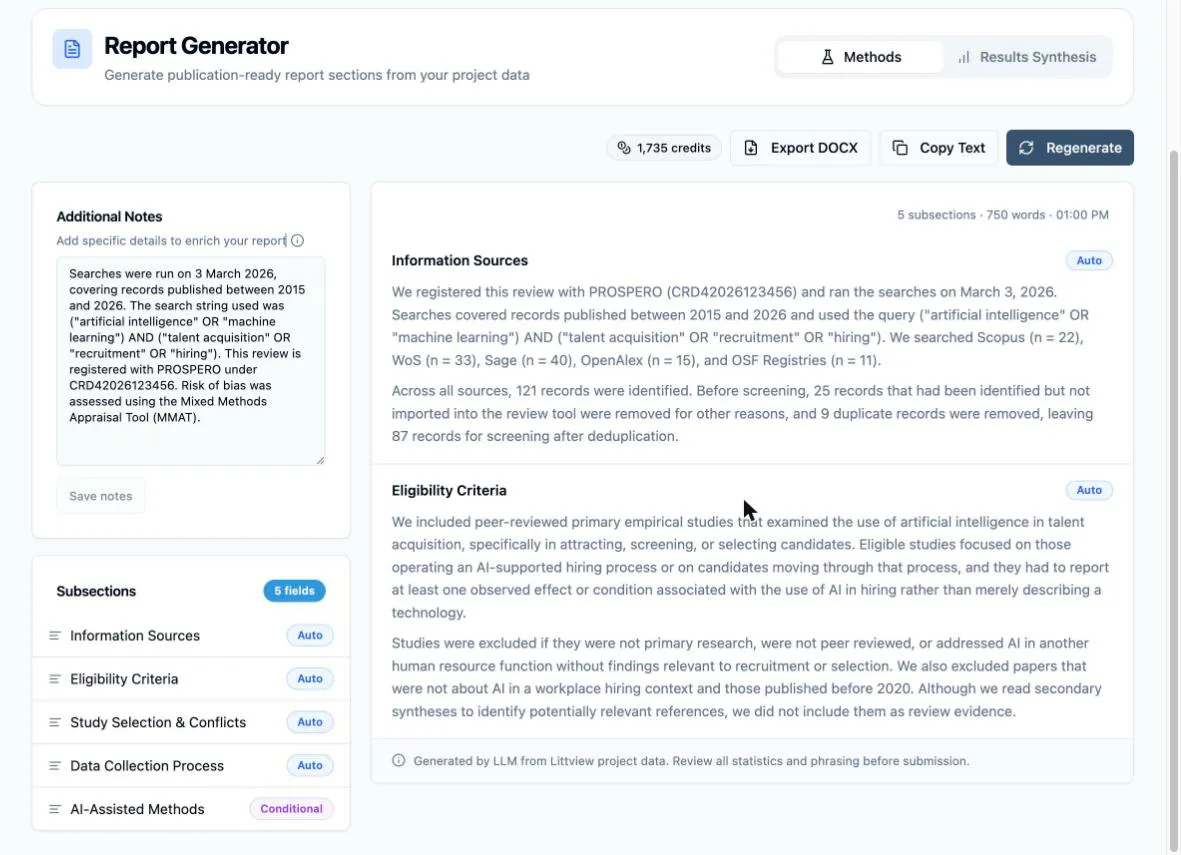
Read it against the header line, which tells you how many subsections and words you got. Regenerate rewrites from scratch, picking up any project changes and edited notes.
Take it into your manuscript
Section titled “Take it into your manuscript”Export DOCX downloads the section as a Word file, headings and all, ready to paste into your paper. Copy Text puts the same content on your clipboard as plain text.
Both give you a draft. Littview writes it from your data and won’t invent numbers, but the footer under every generated section says the part that matters: check the statistics and the phrasing before the manuscript goes anywhere. You are the author; the draft is a starting point that already has the counts right.